I am working on a number of website projects right now. My mission is to banish ‘lorem ipsum’ by working text into page designs before development starts. (To find out why, read my article: Want a good website, on time? Prioritise content)
I wanted to find a tool that would let me create page mockups quickly and try out different combinations of copy and layout.
Eventually, I settled on Balsamiq Mockups, which is an awesome tool. The rest of this article describes the different alternatives I considered and concludes with a detailed review of Balsamiq.
Denim
Denim takes sketch-based approach which seemed a bit too low-fidelity for my purposes.
Protoshare
Protoshare is an online ‘Software-as-a-Service’ tool that lets you build high-fidelity, interactive site mockups in collaboration with other people, such as clients or graphic designers. At first, I thought this was the system for me. I really liked the ability to export designs to Word documents and the way that collaborators could work together on a single design. However, because it can create mockups that appear almost exactly like real sites, I felt the temptation to over-polish my mockups. Also, one of my designers refused to work with it. Being web-based it lacks that immediate responsiveness that is necessary for brainstorming. And, finally, the cost (£29/month) which I paid for several months, seemed a bit excessive for something I was using for a day a month. So, Protoshare is not for me but it is an excellent tool
Pencil
The Pencil Project is a free open tool that builds on the Firefox web browser. Amazingly, it turns it into a fully-featured GUI prototyping tool. It goes beyond website prototypes and lets you build all kinds of UI mockups. It includes common widgets for Windows and other OSs. It can produce pretty slick mockups and you can’t beat the price. However, I felt that it was a little too skewed towards UI prototyping than web page mockups for my purposes.
Serena Prototype Composer
Whoah! Serena Prototype Composer looks awesome and it’s free but it probably best for business analysts in Accenture who are designing complex business workflows and trying to implement them in software. Not for me.
Caretta GUI Design Studio v3
GUI Design Studio has lots of features for prototyping complex user interface stuff. The big draw back? Price. It costs $499 for a single-user licence.
Templatr
Templatr is a simple online tool that lets you build WordPress blog mockups quickly online. This could be a very useful tool for some of the projects I am working on but it requires the user to know a lot of CSS. This means it is a useful resource for WordPress designers but not really a tool for rapid mockups.
Balsamiq
At just $79, Balsamiq Mockups is the cheapest of the commercial products I looked at. There is also a free trial version which you can use to evaluate it. It plugs into Confluence, JIRA and XWiki but I use it as a standalone desktop application. There are several features that make it effective for my work:
- When you load the program, it starts with the thing you were last working on. This is a neat time-saving feature.
- Everything looks hand-sketched, which I didn’t like at first. However, it’s grown on me. Part of the value is that nobody is focused on making the mockup ‘look great’. It focuses attention on the copy (which is my schtick) and the layout.
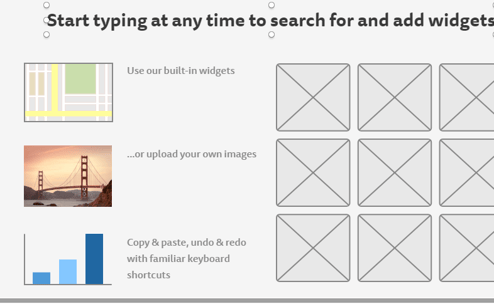
- It’s very easy to drag and drop common design elements onto the page, such as tabbed menus, calendars etc. In fact, most of the stuff you need is built in. This goes way beyond the usual buttons and boxes that most mockup tools provide.
- There are tools to create an iPhone mockup which will come in useful later
- You can link different page mockups together using buttons and so on
- You can work on multiple pages at once and flip between them using Excel-like tabs
- The Mockups To Go website has lots of downloadable mockups that you can use as a starting point for your own designs. For example, it has a Twitter and a Google mockup.You can see more examples at Balsamiq’s website.

It would be nice to have a text tool that let you enter styled text without using markup. Balsamiq uses things like *asterisks* to indicate bold text. I’d prefer a little editor. But this is pretty much my only niggle.
I use Balsamiq almost daily now and I highly recommend it. It lets me concentrate on copy and layout not on technical details and yet I can share the results with designers and programmers and they can see exactly what I am trying to achieve. I can mockup a page in minutes and then tinker with it for hours. It’s painless, intuitive and responsive. It’s a bit like going back to the first Mac I had and using MacDraw and MacPaint – just straightforward and easy to use.


Hi Matthew
Nice sum up balsamiq is a really nice tool.
We are web development company and use prototyping on all projects we do. We created our own tool that we use with our clients and released it to the world in January (http://justprproto.com).
I would appreciate it if you checked our tool.
You can try it for FREE (without credit card) at http://justproto.com
Your feedback will be greatly appreciated! (you can contact me for extended 60 days trial if needed)
Although is perfectly fine in the early stages of user interface design to only sketch ideas, at a certain point it becomes necessary to prototype more details, at a finer grained level and with a little bit more precision.
I hope you don’t mind if I point you to this prototyping/wireframing tool called FlairBuilder that does that, namely, wireframes with interactivity built in. You have a set of fully functional components that actually work: buttons, links, tabs, drop-down menus etc. You could then capture lots more requirements when the right time comes.
Cheers,
Cristian
Is there a reason why you did not mention that FlairBuilder is made by YOU, Cristian?
It is not a nice thing to do…
Matthew,
Thanks you for another terrific post. Timely too. This is the bane of my existence. A company will spend 10,000.00 on a significant copy project and nothing on design/layout of their poorly designed, utterly confusing websites. Here’s a question for anyone who might want to take a crack at an answer: How do you convince someone that their design work is awful?
Also take a look at WireframeSketcher. It’s not unlike Balsamiq but with a twist that it’s an Eclipse plugin. If you are an Eclipse/MyEclipse/Aptana than this plugin should be an obvious choice.
Hi Matthew,
Thanks again for the feedback regarding ProtoShare – and including us in your list! We are always working on advancing the product, so feedback is helpful.
Richard, good question! I used to be an agency project manager and we ran into the design issue quite often – this is why prototyping to come to certain realizations is so important. A couple things I always asked the client was, “Does this design reflect how you want your company to be portrayed?” and “Share this with someone (like a family member) outside the office. Can they can easily navigate through the site?” If the answer is “no” to either question, then you can show them 2 examples of great websites and why their designs are better. If it’s a designer you’re dealing with, ask them if they would add that design to their portfolio. I find these questions help people work through what they are actually looking for in a website.
Thanks!
Andrea
I will definitely check out Balsamiq. It certainly beats the heck out of my current high-tech wire-framing tools: a 20′ roll of butcher paper and pack of multi-colored pencils. And at $79, it’s only slightly more expensive…
Bookmarking this post–thanks!
Thanks. I need to do some quick mockups for tomorrow’s class, and you just saved me hours of finding the right tool.
That’s why we’re here!
Awesome post.. I had a friend recommend balsamiq but I am deffinately going to give some of these other apps a try before I purchase.
I’ve recently discovered WireframeSketcher. The idea to integrate a mockups tool into Aptana is genius. You can find it here: http://wireframesketcher.com
I’ll check it out. Thanks.
Thats why I am here.
We’ve been using Balsamiq for a while now, and honestly it lets you create a mockup of a site in minutes. Its fantastic for what we do, when we want to sit down with a client and flesh out the aspects of a website. I am a little slow on the uptake in describing to the designers what I want a site to look like.. I just export my mockup to a PNG.. and bam! done.
Whenever I’m coding a wireframe after the initial mock up this thing comes in handy like crazy http://andrewroycarter.com/web-development/great-tool-for-placeholder-or-mock-up-images-when-designing-developing-a-website/
Try out http://www.lumzy.com.
It has a lot of features that you have mentioned for Balsamiq and many more.
Great post – thanks for the comparison.
Good list!
Try out Tiggr: http://tiggr.exadel.com. You get real application prototyping with Web Preview (HTML/JS/CSS generation), collaboration and sharing.
HI Matthew,
Just wanted you to know how helpful this post was for me. I am trying to evaluate mock-up tools for designs. You really cut to the chase and helped me make a good decision. Thanks for your time and expertise.
Alice
Great list of tools – may have to check a couple of these out. I’m using LucidChart – http://www.lucidchart.com – right now and am pretty pleased there.
Hello Matthew,
It is a great list, maybe you could be interested to participate to this collaborative comparison of mockup and wireframing design tools (you can rate or vote for the best ones):
http://socialcompare.com/en/comparison/mockup-and-wireframing-design-tools-cq7awx5
This new platform is like a “wikipedia of comparisons”, you can compare everything and embed the table on your blog.
It can be also useful for other subjects..
Vanina
When you want something really, really simple and quick (as in “give me two minutes to show you what I mean”), you might try http://www.simplediagrams.com
Thanks Matthew for putting this list together.
Thanks. It looks great and I’ll give it a try. Matthew
You all should try using JustProto. It’s sooooo easy to use! and we can colaborate with partners in USA, Japan and Russia. Try it yourself.
Nice resource site. Thanks for going to all the trouble of putting the info together. I’m going to try some of these sketch programs.
Picodo is also an awesome option. Too many features for me but at a great price…31days free then $9/mnth for a single user.
http://www.picodo.com
AppSketcher is fairly new. It is fast and easy to use – all drag and drop, without coding. It provides rich interaction instead of static images. Best of all, it generates HTML and Jscript so you can run instantly in any browser. Please check out and tell us what do you think.
I’ve tried all these applications (okay, I exaggerate) and I chose WireframeSketcher. After trying this software for a few days, I did not hesitate to pay the $ 75 requested.
Balsamiq: cute, but lacks features; ProtoShare: ridiculously expensive…
Just wasted an hour downloading, installing oopening and trying to figure out how to design a mockup with wireframesketcher. Still no results except frustration. With Balsamiq I was creating within minutes.
Bottom Line:
wireframesketcher = Uninstall
Balsamiq = Using free version most likely will purchase.
Nice article Matthew.
Wanted to mention few more – really good ones for sharing and collaboration – MockingBird https://gomockingbird.com/ and MockFlow http://www.mockflow.com/
Hi Bis.. I have not tried MockFlow yet.. what do you love the most about MockFlow ?
Awesome article! Wireframes, mockups and prototypes are important part of the UX design process. I worked for several years as UX Designer and UX Manager and honestly nothing makes me more happy than watching grow of our industry.
I currently run UXPin (http://uxpin.com) – first dedicated UX Design tool on the market. Let say with you UXPin you stop wasting time on inefficient communication in the design process. You’ll be able not only to create wireframes, prototypes, mockups and even convert paper prototypes into digital wireframes, you’ll be able to put all of that into the context of your design story.
Have a look on the video: http://youtu.be/A6aGep7eFDs
Hope you’ll like it
.
Great list, I’ve always tended to just jump in to design without a mockup, but you can guess that I often have to rework the designs/layouts.
Thanks for the post, I’ll check your other pages now.
Thanks a lot! It’s nice having Pencil standalone.