Posted by
Matthew Stibbe
Posted by
Matthew Stibbe

Increase organic traffic with these 11 top search engine optimisation tips.
The challenge for any business is to make sure that when people look for a product or service like yours, they find you and not a competitor.
But it’s not about mindless SEO and costly pay-per-click advertising. There’s plenty you can do increase organic traffic at no cost (except your time).
What is organic traffic?
Organic traffic refers to the people who find and visit your site through a search engine, such as Google. Usually, they are drawn to a page on your website that answers a search query or matches a key word or phrase that they have searched for. The process of making content that is more likely to be found on search is called search engine optimisation, or SEO.
Here is a simple SEO process you can take away and try yourself. And, below, we go into more detail with 11 top SEO tips to advance your SEO best practices.
.jpg?width=1080&height=1080&name=SEO%20process%20(1).jpg)
1. Optimise for your readers, not search engines
First and foremost, write your buyer personas so you know to whom you’re addressing your content. By creating quality educational content that resonates with your ideal buyers, you’ll naturally improve your SEO.
This means tapping into the main issues of your personas and the keywords they use in search queries. Optimising for search engines alone is useless; all you’ll have is keyword-riddled nonsense.
Please your buyer personas, and you'll automatically please the search engines.
2. Blog regularly
Blogging is perhaps the most effective way to increase your organic site traffic. It lets you go into more depth than your website allows and creates a large catalogue of helpful, persona-optimised content centred on your market niche. However, poorly-written, spammy or cheap content can do more harm than good. Avoid it.
3. Plug into the blogosphere
The blogosphere is a reciprocal sort of place. Read, comment and link to other people’s sites and blogs, particularly those operating in your market, and they’ll hopefully read, comment and link to yours, attracting more prospects.
A good place to start is Quora. A neat tactic for getting your voice out there is to spend some time answering questions on Quora and providing real, valuable and tangible insights for the specific area you are an expert in.
4. Use long-tail keywords
Don’t just go with the most popular keywords in your market. Use keywords that are more specific to your product or service. In time, Google and other search engines will identify your website or blog as a destination for that particular subject, which in turn will boost your content in search rankings and help your ideal customers find you. This is how you become a thought leader on that topic.
Remember: Ranking on Google is about owning a sphere of influence for a specific niche topic. This blog post, for example, is targeted for those who want specific learnings on increasing organic traffic. We're not targeting every SEO-related keyword.
5. Get your meta down
The meta title, URL and description are the three key ingredients for an optimised web page or blog post. It’s simple but effective. In fact, all on-page SEO factors are important to get right, but meta descriptions and meta data means you can tell Google exactly what you're talking about.
We use a plethora of tools, including Yoast SEO plugin for WordPress, HubSpot's SEO tools and Ahrefs to help us optimise our pages. But it’s not enough to just 'install a plugin', you have to work on each page in turn.
6. Consistently create quality content
Try to write and publish as often as possible, but not at the cost of quality! The more quality content – including thought leadership articles and blog posts – you have on your website or blog, the more opportunities you create for organic traffic to come your way.
7. Use internal links
Once you’ve built up a decent back catalogue of content, you can link to it in blogs and on your website, guiding visitors to more relevant content. This can keep visitors on your website for longer, which helps boost your search rankings.
HubSpot call this process Topic Clustering; we thoroughly recommend you watch this short video about topic clustering here.
Don’t, however, overuse internal links; too many and it starts to look like spam.
8. Encourage incoming links
Google prioritises sites that have a lot of incoming links, especially from other trustworthy sites. Encourage clients, friends, family members, partners, suppliers, industry mavens and friendly fellow bloggers to link to your site.
The more incoming links you have, the higher your site will rank because, quite simply, the more authoritative it becomes in the eyes of search engines.
But beware: SEO snake oil salesmen try to trick Google with spammy links from low-reputation sites. Some links can actually damage your SEO.
9. Blow your own trumpet
You can also link to your content yourself, on your own personal blog, Facebook, Twitter, LinkedIn, StumbleUpon etc – no spamming, mind. If people come in from social media and spend time with your content, it is a strong signal to Google that the content is relevant, useful and interesting.
10. Use social media
Build a presence on social media networks like LinkedIn, Twitter, Instagram and Facebook. All of these activities help to get your name and website address out on the internet. Focus on one or two platforms and really nail your strategy. Don't just post the same thing four times.
Add social share buttons to your site and emails to make it easy for people to share your content. And, of course, write content worthy of sharing.
11. Use data and metrics to optimise results
Use something like Google Analytics to track visitors to your site and blog. Being able to see where they come from and what keywords they searched for allows you to fine-tune your content.
Ultimately, to increase organic site traffic, you need to give your customers what they want – quality advice, information and insight.
View the webinar recording
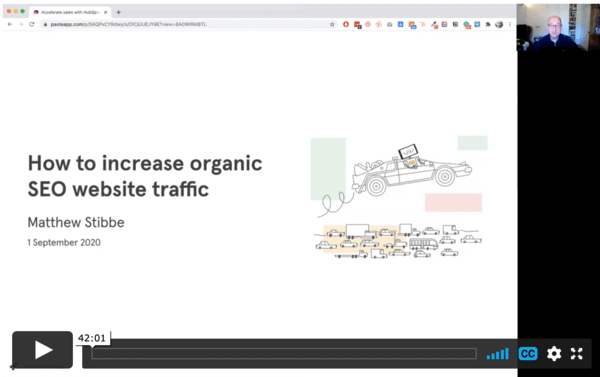
We have turned this popular blog into a webinar, which was held in September 2020. View the recording (slides here):
This article was originally published in 2019 and has been updated in 2022. In that time 130,000 people read the advice within, thanks to the high position this blog enjoys in Google's ranking. Proof in the pudding and all that!