



Whether you’re a natural when it comes to writing or each word comes with its share of blood, sweat and tears, a helping hand will never go amiss. We’ve gathered our favourite writing tools that make the process as smooth and obstacle-free as possible, because, as the saying goes:
‘Easy reading is damned hard writing.’
Strong foundations
Before you do any writing at all, you need to make sure you’ve set yourself up for success. Here are some tools and habits we’ve used to get us in the right headspace.
A nice cup of tea
Ever wanted to write like Samuel Johnson? How about George Orwell? You might want to start by brewing yourself a hot drink! Orwell put so much stock in the practice that he wrote an article about making the perfect cup of tea.
Whether you drink it like he does or not, tea (like many hot drinks) can benefit your writing practice. Bear with us:
- The pause to boil the water and make the tea - about 5-10 minutes - gives your brain a chance to recharge and work on problems.
- It can be a nice reward after some hard-and-fast writing.
- Sipping the tea for ten minutes after you've made it gives you little micro-breaks while you’re writing.
- Caffeine (obviously). Tea’s got just enough to wake you up without making you frantic – it just keeps going like a Duracell battery. This one’s a personal preference, of course.
A good chair
With that tea evangelism out of the way, it’s worth considering where you park yourself while writing. It might seem frivolous, but if you’re like us you spend about eight hours a day sat in front of the computer, so it's an important investment in productivity and health.
For the ultimate in desk chair luxury, we’d recommend something like an Aeron chair – some have lovely features like adjustable lumbar support and can tilt forward for typing!
A silent computer
Another one that’s more dependent on personal preference, if you’re one of those people that requires perfect silence to get in the flow, a silent computer is well worth considering.
Fanless laptops abound nowadays, and desktops can be outfitted with soundproof linings and liquid-cooling systems if you’re feeling really geeky.
A good pair of headphones
Following from the last point – if you’re keen on total silence, it might be worth investing in noise-canceling headphones or those fancy sleep buds that Bose is making. Prefer the background noise of a café? Check out Coffitivity, which features free, pre-recorded café sounds to get you in the zone.
The right font
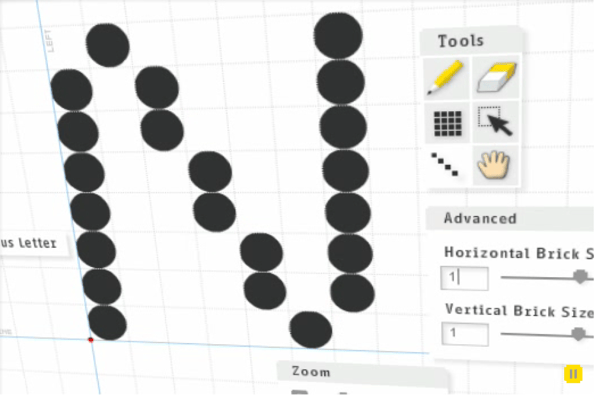
Identifont. You can’t write anything if you don’t have a font! This one’s a bit of a curveball, but if there’s a particular font you see online that you’d like to use, identifont will tell you exactly what it is. It might sound niche now, but you’ll be thanking us when you save yourself hours of research.If you’re taking it a step further and want to create a font of your own, check out Fontstruct. It’s a fun tool that makes the process easy for those of us without design degrees.
Scraps of paper
Finding – and remembering – ideas for a piece can be one of the hardest parts of the writing process. These tried-and-tested tools have helped us to get our ducks in a row.
We’ve all used spare sheets to jot down to-dos and ideas when inspiration strikes. It’s simple – and easy to lose – but it works.
- Notebooks. Whether it’s the easily-organisable Filofax style notebook or the classic pocketable Moleskine, smaller notebooks have long been the go-to, more adult alternative to the ‘scraps of paper’ approach. Find a portable style that you like and carry it everywhere.
- OneNote. If you’re a Microsoft user, OneNote is the answer for digital note-taking. It lets you create notebooks with dividers and tabs, enter text, images, URLs, screengrabs, audio recordings and more on a freeform page. You can drag items around on the page freely, so it feels less linear than a Word Processor.
- Apple notes. It’s got fewer bells and whistles than OneNote, but it does the job without making things difficult. The easy accessibility on mobile makes it a great choice for on-the-go note taking if you’re using an iPhone.
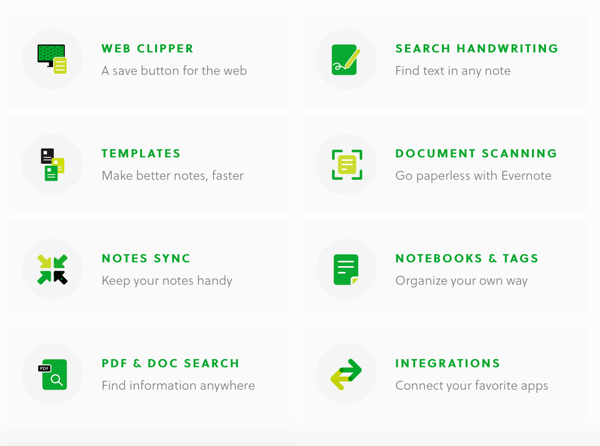
- Evernote has long been the go-to choice for many note-takers who like a dedicated platform for their inspiration-gathering. Dropbox Paper does a similar job, with the added ability to store larger files in their cloud.
A to-do list
Todoist. If it’s to-do lists you need, here’s your answer. It works on EVERYTHING. Web, iPhone, iPad, Android, Chrome, Windows, Gmail – there’s even a plugin for Outlook. It’s easy to filter tasks by project or by date, and it’s uncluttered enough to keep your mind on the task at hand.
Time management tools
You’re likely doing a lot of writing if you’re looking for tools to make the process easier. Here are some we’ve tried that help with time management, goal-setting and gathering data.
Try Slimtimer. It’s free, it’s flexible and it’s easy. This time-tracker helps you to get an idea of the amount of time you’re spending on projects, telling you at a glance whether you’re doing too much or too little. Tasks are taggable, and it produces PivotTable reports by user, tag and time. A fantastic way to get the bigger picture when it comes to time spent writing.
Data
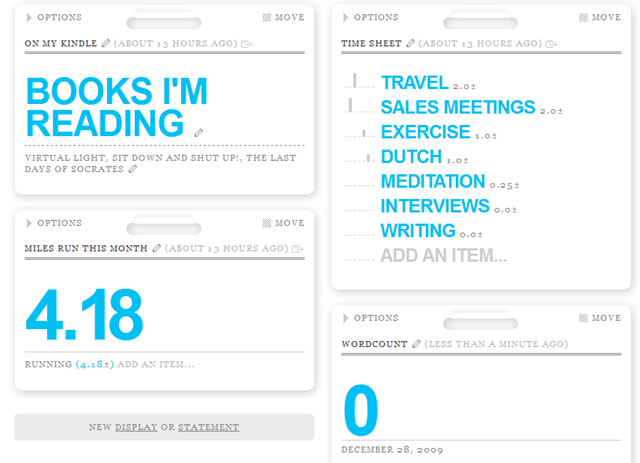
What doesn't get measured doesn't get done. Try Daytum. Its mission is to help you ‘collect, categorize and communicate your everyday data.’ We’ve come up with a few ways writers could find it useful:
- Tracking word count output day by day.
- Monitoring time spent on different tasks – e.g. interviewing, researching, writing and editing.
- Communicating progress to clients via a shared page.
Here’s an example dashboard from Matthew, our fearless leader here at Articulate:
Habit tracker
Joe’s Goals. It’s a free online service that lets you set up daily goals or habits (see also Habitica if you like gamification), and then check them off each day as they are completed. Here’s some examples of the kinds of goals you can set yourself – also from Matthew:
- Get up at 6 am
- Write blogs
- Write at least 1,000 words
- Eat your five-a-day
- Write in the diary
- Meditate
Put the tools to use!
With any luck, you’ve now got a full writing toolbox to take with you on new projects and jobs. These tools don’t do the writing for you, or teach you how to write, but they make everything else a hell of a lot easier so you can write with as few obstacles as possible. That’s about as much as anyone can hope for when it comes to facing that terrifying blank screen!
This blog post was updated in January 2019 and lightly updated again in 2020.

 Matthew Stibbe
We recommend reading these articles, next...

17 sustainable marketing techniques to reuse and repurpose content
Discover how to meet growing demands with a sustainable content marketing strategy. Get tips to...

A comprehensive B2B SEO strategy for better brand visibility
Find out how to embed your B2B SEO strategy in all your marketing and website workstreams, by...

The ultimate guide to persuasive business writing
Persuasive business writing: Articulate Marketing's free guide to getting it right. Improve your...