
40 essential online apps for freelancers

Online applications give me a competitive edge. I want to be a ‘big little company’ with the same (or better) IT capabilities as the biggest of my clients. I try to make the maximum use of online applications because they let me deploy new capabilities quickly without adding to my IT or admin burdens. This is a list of some of the best online applications that I am researching or which I use on a regular basis.


1. Mozy

image

A friend of mine recently lost all his work, his family photos and his music collection when his hard disk failed. It cost him hundreds of pounds to recover it. Now, if that had been a book or business files, the cost might have been much higher. This is why I use Mozy Pro to backup my key data over the internet. It costs $0.50/GB per month and the software backups my server automatically.

http://mozy.com/pro


2. Dropbox

image

Dropbox is an online file system. You can create folders and upload files via a web interface or with a downloadable application that puts those folders onto your PC and keeps them synchronised. The neat thing is that you can share folders with other people so that they can access files in selected folders too. It’s very elegant and easy to use. I use it to make sure I have access to key files on my laptops and also to share files with clients. I have 50 GB of storage and that costs me $99 a year.

http://www.getdropbox.com/


3. Basecamp

image

Basecamp is a great intranet-style online application that lets you share files, project plans and generally collaborate over the internet. I don’t use it as much as I used to because DropBox does file sharing better (bigger uploads, easier to use etc.) and because I’m not running so many team-based projects. But if you need a team site, this is the system I would recommend. There is a limited, free version but prices start at $24/month for a fully-featured service.

http://basecamphq.com/


4. Scribe

image

Scribe is a WordPress plugin that helps you optimise the content of posts and pages for search engines. It gives helpful feedback to tweak the content and highlight keywords. I’ve just started using it on this blog and so it’s too early to tell how effective it will be in the long run. I’m slowly working through the most popular posts and optimising them. It takes me about 5-10 minutes per post to tweak the content and metatags to get a high content score. What I like about Scribe is that it gives you clear instructions about how to improve the score. The only drawback – it’s not cheap. I pay $47 a month for 120 evaluations. To be honest, I’d rather pay a one-off fee and get unlimited evaluations but if the income means they keep improving the tool and I get better SEO as a result, it’s probably worth it. Certainly, the fee is relatively cheap in proportion to the the time I put in for SEO.

http://scribeseo.com/


5. Site 24×7

image

Site24x7 monitors your website(s) and reports weekly on uptime and downtime. It can also send SMS and email alerts if a site becomes unavailable. It can also monitor DNS settings and mail servers. If you have a business site, this is an invaluable service. There is a free service and the paid-for services cost little per site.

http://site24x7.com


6. Shrink O’Matic

image

Okay, it’s not exactly an online application but an Adobe Air app. That said it’s a neat little tool for resizing images in batches and giving them some liposuction. I like it a lot. It’s free so you can’t beat the price.

http://toki-woki.net/p/Shrink-O-Matic/


7. Skype

image

I wrote about web, video and phone conferencing tools in February and I don’t want to repeat that content here. However, Skype is an essential tool for writers. I use it to interview people worldwide and with the addition of Pamela, a voice recorder program, it can keep recordings of interviews for future reference. Pamela costs €14.95 if you want unlimited recordings although there is a free version. Skype is free but you need to pay for a Skype-In line to receive calls from the regular phone network and for Skype-Out credit to make outgoing calls to non-Skype users.

http://www.skype.com


8. Remindr

image

I like this a lot. It lets you ping your future self with a message via Jabber, email or Twitter at a given time.

[Update 20.3.13 Alas this app seems to have disappeared. Try this instead.]


9. Writer

image

Writer is an online distraction-free editor. It will let you focus on writing without any of the icons, menus and screen clutter you find in Word.

http://writer.bighugelabs.com/


10. Write or Die

image

If Writer is too tame for you, Write or Die is an online editor that punishes you if you don’t get meet your word count target.

http://writeordie.drwicked.com/


11. SlimTimer

image

Track your time using a simple web application that uploads your data directly to the web for analysis and reporting. This is much easier and more accurate than using timesheets. If you want to see where the time goes and, even more if you can bill for it, Slimtimer, is the app for you. I looked at it in detail a couple of years ago and it still appears to be free.

http://www.slimtimer.com/


12. Pick-Fu

image

$5 for 50 opinions. Get instant user feedback from real people. This is very cool and straightforward.

http://pickfu.com/


13. BlueMailCentral

image

BlueMailCentral is a cool system that lets you print letters on your PC via a customised printer driver. Instead of popping out on your local printer, the letter goes to BlueMailCentral’s HQ where it is distributed to a printing center near your destination where it is printed, enveloped and posted for you. You can use it for one-off letters, invoices or huge mailshots. You get local postage rates worldwide and you don’t have to both with putting things in envelopes or buying stamps anymore. [Full disclosure: BlueMailCentral is a client.]

http://www.bluemailcentral.com/


14. WordPress

image

I use WordPress for this blog and my other sites. It’s great. It’s free. Newbies can get a free blog via WordPress.com and not have to worry about hosting or anything technical. I wrote an article about how to create your own blog in 2008 and I think this is still a good place to start.

http://wordpress.com


15. Timebridge

image

Timebridge helps you schedule meetings with different people. It’s fine if everyone is on the same mail system but it’s much harder coordinating people from different companies. (Also look at ScheduleOnce.)

http://www.timebridge.com/


16. TripIt

image

If your life is like George Clooney’s in Up in the Air, then TripIt.com is going to be great for you. It tracks your itineraries – planes, hotels, car hire etc. – and warns you if there are any problems. An iPhone app lets you keep track of everything on the move. To update the itinerary just email your confirmations to TripIt and it will parse them automatically. I was sceptical at first but now I use it for every trip and I paid $59 for the pro version. (The free version doesn’t do updates and doesn’t track frequent flyer miles but it’s perfectly good otherwise.)

http://www.tripit.com


17. Joe’s Goals

image

I first wrote about Joe’s Goals back in 2006 and it’s still a great app for tracking and maintaining habits online.

http://www.joesgoals.com/

18.Zamzar

image

Good news everybody, Zamzar converts all kinds of graphics files from one format to another and emails you with the results. And it’s free. Bad news: it comes with a bunch of adverts, including an irritating pop-up and pop-under ads. Bad app. Naughty app. You still get ads if you pay $7 a month but for $16 a month they go away. Does anyone know a less ad-hungry conversion app online?

http://www.zamzar.com/


19. Formstack

image

Formstacklets you create interactive online forms. I use them to run surveys for my customers. With PayPal integration, you can use them to let people sign up for paid services. It’s very easy to use and while there is a limited free version that lets you create three forms, prices start at a very reasonable $14 a month.

http://www.formstack.com/


20. ProofHQ

image

ProofHQ lets you collaborate with clients and team members to manage design reviews and approvals with share online document mark-up. [Full disclosure: ProofHQ is a client.]

http://www.proofhq.com


21. Rypple

image

Get quick, anonymous 360-degree feedback about your work with Rypple.

http://rypple.com/


22. Issuu

image

Read and publish books and magazines online with a neat interactive reader. I use this for my free eBook because it has a good WordPress plugin.

http://issuu.com/


23. Scribd

image

Scribd is very similar to issuu but I suspect it has more readers and more content. My book is also available there and it has had slightly more readers via Scribd than Issuu. I just think that the WordPress plug-in is less attractive.

http://www.scribd.com/


24. Xmarks

image

If you have more than one browser on your PC or you use more than one PC, keeping your web browser bookmarks and web passwords synchronised is a nightmare. This is where Xmarks comes in. It works with Internet Explorer, Chrome, Firefox and Safari.  It synchronises everything so that you are, in effect, using the same set of bookmarks, quick links and passwords everywhere. It’s fantastic.

http://www.xmarks.com/


25. Postini

image

I have a Microsoft Exchange Server and I get a ton of spam. At one point last year, between bounceback spam and spam spikes, I was getting 30,000+ spams a day. My broadband connection and server were struggling to keep up and on a few occasions I couldn’t send or receive messages at all. However, for $12 per user per year, Postini blocks all that and email malware out in the cloud before it comes anywhere near my systems.

http://www.google.com/postini


26. Datum

image

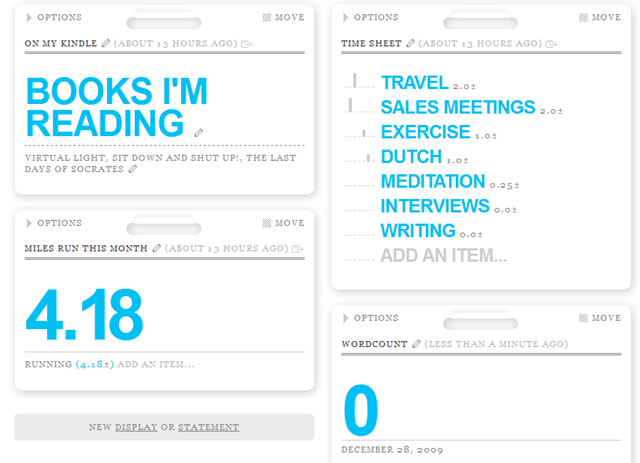
I wrote about Daytum before. I think it’s a cool way to track and share numerical and time-based data, such as bugs fixed per week or miles run per month or calories consumer per hour (I had cake yesterday!). It produces the kind of data dashboard you normally see with high-end business intelligence systems, except of course, you have to enter the data yourself. I think that the way it uses tags to give structure to the data is very elegant; very smart.

http://daytum.com/


27. Runkeeper

image

Okay, it’s not a strictly business application but I really like it and I think work-life-exercise balance is essential if you’re a freelancer. RunKeeper tracks your exercise and running history, including map overlays, and it lets you share the results. With an iPhone app, you can track your runs in real time using GPS and upload the results automatically.

http://runkeeper.com


28. Bubbl.us

image

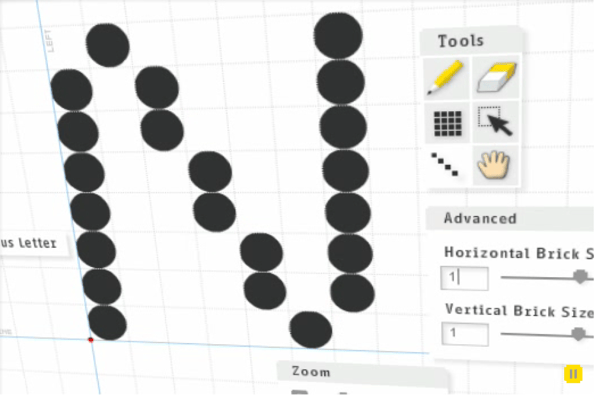
Bubbl.us is a free online mindmapping application. It’s very easy to use and you can embed your diagrams in WordPress.

http://bubbl.us


29. Rescue Time

image

RescueTime is a tool that you can download to your PC and it tracks what you do. This lets you block distractions, like websites or Twitter, for a period of time or track work on given files or projects. All the reporting comes back to the website and you get lots of data and administrivia to help your reform your habits.

http://www.rescuetime.com/


30. Google Maps

image

Google Maps is really helpful for planning trips to meetings. Now you can get Google Streetview for every road in the UK, that’s become a really helpful tool as well. It’s also worth putting your own business up on the map and editing your own entry properly.

http://maps.google.co.uk/


31. Balsamiq

image

Balsamiq is a great tool for creating quick website mockups and sharing them with other people. The deliberately cartoony and Comic Sans style stops people obsessing about pixel perfect art and focuses them on words and layout. See my review of seven website mockup tools for some other online wireframing applications.

http://www.balsamiq.com/


32. Google Reader

image

I have used a number of different RSS readers but I have ended up with Google Reader because it is easy, free and ubiquitous. I’d like to find a ‘five-minute guide to Reader mastery’ because I feel like I’m missing some tricks with it but it’s still be the best system I’ve used for managing and reading lots of blogs.

http://www.google.com/reader


33. Concentration and meditation timer

image

http://www.articulatemarketing.com/tools.htm


34. Readability checker

image

This tool will help you improve your writing by giving objective, numerical feedback using Flesch Kinkaid, Gunning Fog and SMOG indices. You can analyse all the text on a web page or paste in some text directly.

http://www.articulatemarketing.com/tools.htm


35. Wikipedia

image

Wikipedia is not a good primary source for writers but it is a great way to explore and understand a topic and the best Wikipedia entries have useful links and sources that can help you get to primary sources quickly. I find it very useful for understanding technical jargon that my interviewees throw into discussions. I can quickly look up a word and scan the page while I’m interviewing them (on the phone!) and it helps me follow the conversation.

http://en.wikipedia.org/


36. Wiktionary

image

Wiktionary is a reasonably reliable place to look up words and check meanings. I have the Oxford English Dictionary on my iPhone which is more authoritative but Wiktionary is right there in my browser which makes it more convenient. It’s also very helpful when I’m trying to look up Dutch words.

http://www.wiktionary.org/


37. Google Translate

image

I like Google Translate a lot. It’s a good way to quickly check spellings and translations. When I’m doing prose translations from English into Dutch for my homework, I like to try the Dutch version myself and then use Google to ‘proofread’ it.

http://translate.google.com


38. Visual Thesaurus

image

Visual Thesaurus is an interactive, animated thesaurus that makes exploring the dictionary easy and fun. Because it is quick and easy, you can find the word you’re looking forward much quicker and get inspired at the same time.

http://www.visualthesaurus.com/


39. iStockPhoto

image

I’m good with words but rubbish with images so I find iStockPhoto a very useful tool. It lets me find images, icons, pictures and so on for websites, blogs, presentations and documents. They’re relatively cheap to buy and you can use the lightbox tool to offer clients a selection of images. It’s widely used, however, so you have to be careful to avoid picking clichéd images or just using images for the sake of it.

http://www.istockphoto.com


40. Wobzip

image

Did you ever have a weird compressed file that you needed to uncompress? You know, a Linux fanboy sends you something that is compressed as a .RAR file and your puny Windows box can’t do anything with it. Wobzip is the answer. It uncompresses 7z, ZIP, GZIP, BZIP2, TAR, RAR, CAB, ISO, ARJ, LZHCHM, Z, CPIO, RPM, DEB and NSIS files online.

http://wobzip.org/


This post is brought to you in partnership with Intel(R) as part of the “Technology in tomorrow’s cloud & virtual desktop” series. For more information please click - HERE

, , , , , , , , , , , , , , , , , , , , , , , , , , , , , ,

38 Responses to 40 essential online apps for freelancers

  1. Darren Esp March 22, 2010 at 10:25 am #

    Really useful info on some great apps many of which I’ve never seen before, but will be seeing a lot of soon.

    Thanks Matthew.

    • Matthew Stibbe March 22, 2010 at 11:00 am #

      Thanks for the kind words, Darren. Nice to hear from you. Do you have any web apps that you use? Care to share?

  2. Nancy March 22, 2010 at 11:14 am #

    Impressive list! I wasn’t familiar with Bubbl.us or the Readability Checker, but I’m eager to try both of them out. Thanks!
    .-= Nancy´s last blog ..What if Celebrities Gave Gifts for Baby Names? =-.

    • Matthew Stibbe March 22, 2010 at 12:36 pm #

      Hi Nancy, do you have any favourite naming sites or online tools that you use regularly? Matthew

  3. Patricia March 22, 2010 at 12:14 pm #

    Great list, Matthew, thanks! There are a few in there I hadn’t heard of and will soon play with.

    In case you wish to add to your list, here are a few of my favorite apps:
    - Huddle: http://www.huddle.net (collaborative platform)
    - TimeStamp (well, not exactly a Web app as it is a small application to install, free, on your PC) helps you track the time you spend on a project
    - TeuxDeux: http://www.teuxdeux.com — an online task list whose simplicity is fabulous
    -Pearl Trees: http://www.pearltrees.com — a visual GUI to map your own Web and discover that of others you can connect to

    Enjoy!

    • Matthew Stibbe March 22, 2010 at 12:36 pm #

      Patricia – those are great sites. Interesting to see Huddle which looks so much like BaseCamp. I figured those guys had the market cornered. Cheers, Matthew

  4. Jafar March 22, 2010 at 12:26 pm #

    Awesome list. Hey, if you like Google Reader, you’ll love Feedly! ( I’m slightly obsessed with it.) It’s a plugin that works on top of Reader, so no new logins just a new interface.

    Datum might just become my next obsession.

  5. Sabrina March 22, 2010 at 12:32 pm #

    Thanks for posting up this really helpful list. With so many apps popping up these days, it can be hard to wade through the murky waters to find something useful.
    .-= Sabrina´s last blog ..Pass me the remote, uh I mean mouse… =-.

    • Matthew Stibbe March 22, 2010 at 12:35 pm #

      @Sabrina, I know what you mean. I found writing this post very helpful just because it forced me to pay some attention to some apps I had meaning to investigate and also to share some of the sites I use regularly. But it is hard to keep up sometimes.

  6. Sutton March 22, 2010 at 1:11 pm #

    Great list, Matthew. Although I have to ask: have you ever actually used Mozy to do a full HD restore? Because you might not be so enthusiastic then. Strangely enough, it seems that one does get what one pays for.

    http://www.marginnotes.net/2009/03/19/mozy-great-until-you-need-to-restore/

    • Matthew Stibbe March 22, 2010 at 1:31 pm #

      Well, yes, up to a point. I think you were let down by getting incomplete or hard to follow instructions about the best way to recover your data and construct your drive. I’ve done some recovery testing online and it seems to work fine for me but it’s always worth testing a data restore while everything is working fine. Testing is the flip side of the backup coin.

      For myself, I use a RAID array on the server which protects me against the failure of a single physical disk and I use a daily backup to an external drive on my server to protect against a server hardware or software failure. Mozy just backs up key work files so that I can satisfy the offsite disaster recovery requirement in case the server were stolen or the house burnt down or something. I’m a backup neurotic so I like have belt and braces.

      But from my experience Mozy Pro is a good, reliable service with reasonable recovery options. But everyone has to make their own judgement. The only thing I think is absolutely necessary is to do something. No backup is asking for trouble.

  7. Anne Wayman - About Freelance Writing March 22, 2010 at 5:49 pm #

    good grief! What a list… will take some time to really work it through, but I’ve found a couple I know I want to use… Thanks!
    .-= Anne Wayman – About Freelance Writing´s last blog ..Article Writing – How To Get Started =-.

    • Matthew Stibbe March 22, 2010 at 6:56 pm #

      Anne – What sites and online services do you find helpful? Matthew

  8. Percy March 23, 2010 at 10:48 am #

    Nice list Matthew. One minor correction – the URL for Write or Die is missing; if you click on the image, you are taken to the image stored on your website.
    .-= Percy´s last blog ..Easy-to-swallow pills (tablets) =-.

  9. Einat Adar March 23, 2010 at 2:47 pm #

    Wow. Very good list.
    Usually, a title like that includes 40 things would drive me away, but I’m glad I decided to check it out.
    I also like to have IT helpers even if I’m a small business. I’m a very basic salesforce.com user, but I couldn’t do without it. It helps me track who I’m talking to, and about what, my price quote and keeps all the contact info for my clients in one place (as opposed to my general contacts on email etc. ).
    I also use unit converter a lot: http://www.digitaldutch.com/unitconverter/ to quickly convert American to Israeli units and vice versa. There are a million sites that do the same, but I like this one because it’s very simple.

    • Matthew Stibbe March 23, 2010 at 3:08 pm #

      I looked at Salesforce.com a while ago but found it a bit unwieldy. I’ll check out Digital Dutch. Personally, I like to use Google calculator. I’ve been doing a lot of bandwidth calculations and I love the fact that you can type in stuff like “360 gigabytes at 8 megabits per second in hours” and get an answer. My brain hurts if I have to do that on a calculator.

  10. TC/Copywriter Underground March 26, 2010 at 2:30 am #

    Online apps are interesting and fun and very useful, but I find myself rejecting a lot of them based on performance issues.

    Writing online has proven to be a frustrating experience – the lag time drives me crazy – and I remain unconvinced about online word processors (and online graphics software, and online mind mappers, outliners, etc).

    At times, I feel like my day is being bled away, 1.2 seconds at a time.

    Hosted solutions are brilliant for things like CRM, but color me less convinced for some applications – especially those I can do right on my own machine – without putting myself at the mercy of lag.
    .-= TC/Copywriter Underground´s last blog ..Falling Behind Your Copywriting Deadlines: Three Ways To Fix Things (Or Not Make It Worse) =-.

    • Matthew Stibbe March 26, 2010 at 7:54 am #

      I agree. I have chucked in a few online writing tools and they’re useful in some circrumstances but the only one I would trust with commercially important work in the long run is Google Docs because a) it has an offline mode and b) it is fast and efficient. That said, I do 99.9% of my writing in Microsoft Word with my trusty ergonomic keyboard and store the files on my triple-backed up super-server! :)

  11. Richard Pelletier March 26, 2010 at 7:23 am #

    Hey Matthew,
    Evernote (very cool organizational tool w/iPhone app)
    The Browser
    Readability Firefox plugin (quite cool esp for printing web pages)
    Delicious (surprised not to see this above)
    For more great tips like these, subscribe to Five Cool Things, The Lucid Content Newsletter! :)
    Read it here: http://bit.ly/cgxZJe
    Subscribe here: http://bit.ly/c42BrV
    cheers mate,
    and thanks for another outstanding post,
    Richard
    .-= Freelance Copywriter Richard Pelletier´s last blog ..Primo Levi =-.

    • Matthew Stibbe March 26, 2010 at 7:51 am #

      Tried Evernote but didn’t stick with it. I have a different ‘capture’ system that seems to work pretty well for me. I must be getting stuck in my ways! :) I tend to use my bookmarks and my blog as a way of capturing sites I like and then share them across systems with Xmarks so delicious never really stuck with me either but I know lots of people really like it. I’ll check out readability for Firefox; that sounds helpful.

  12. Leslie April 2, 2010 at 4:46 pm #

    wow. a great list. this will help me a lot. thanks.
    .-= Leslie´s last blog ..Toddlers are the funniest narrators. =-.

  13. buy tea online July 15, 2010 at 1:59 pm #

    Amazing what an extensive list. Alot of these are being converted to mobile apps which is great!

  14. ladylyn September 15, 2010 at 4:01 am #

    For managing people working from home and to tracking time, Time Doctor is a fantastic software program because it gives you one email every day with all your team and what they have accomplished, plus a list of tasks they are working on.

  15. silverwink September 16, 2010 at 3:32 pm #

    An excellent program to use for time tracking is http://bit.ly/bJwmma as it records all time use for yourself and a team without any hassle.

  16. Adrian Jones October 18, 2010 at 7:47 am #

    Hi Matthew – Very useful list. Thanks very much. For time tracking tools, the best one I’ve found is Toggl (www.toggl.com) The free version gives you a really useful desktop gadget that syncs automatically with your account page online. You can also embed the gadget into a webpage. We use it on our intranet home page. The paid version has a load of other features like billing and integration with Basecamp. I’ve used Toggl for 18 months or so and find it completely indispensable.

  17. miss emoticon May 19, 2011 at 9:47 am #

    At this time it sounds like Drupal is the best blogging platform available right now. (from what I’ve read) Is that what you are using on your blog?

    • Matthew Stibbe May 19, 2011 at 10:17 am #

      I use WordPress on all my sites. I don’t know Drupal but WordPress totally rules and I can’t recommend it highly enough. Matthew

      • Francois May 25, 2011 at 8:11 am #

        Drupal is hardly a blogging app. It is much more a portal/CMS, and is a derivative of Joomla (together with Mambo, php-WC<S, Xoops, Zukila and the likes).

        I am firmly with Matthew on this one. Since I started to learn more about WordPress I have been making more and more of my websites with it, moving away from designing them manually with Dreamweaver and other tools.

        What with the gazillion of free plugi-ins available nowadays it is possible to design just about any website with it, except the very complex ones that need a database with a lot of proprietary functions or really need to look different.

        • Matthew Stibbe May 25, 2011 at 8:18 am #

          I use WordPress for all the sites I run now and I recommend it (strongly) to clients. I had some bad experiences with Joomla and I wouldn’t recommend it to anyone now. I shut down one site because I found it so frustrating to use.

  18. Robert Wicker June 16, 2011 at 12:47 am #

    As a former user of Dropbox I have to suggest anyone using the service to try http://www.Teveren.com

    They offer a much more customized file sharing solution for small businesses and freelancers. Their application even gets fully customized to match your website so your clients won’t even know they left your website.

    It’s been two months since I’ve cancelled my dropbox account and I haven’t looked back.

    http://bit.ly/lV3Ybu

  19. Brian Timesheet software Logan August 3, 2011 at 1:10 pm #

    Nice list! Excellent work!

  20. Evelyne February 3, 2012 at 9:58 am #

    VERY helpful information. Thanks a lot!

  21. Kumar August 20, 2012 at 5:25 pm #

    I agree with you on Basecamp, Skype, Zoho and Dropbox, but what about Replicon time clock?

  22. Rick February 5, 2013 at 2:43 am #

    I’ve been using PlanetSoho for a few months now. It’s been a great and easy to use tool for invoicing and time tracking. It’s definitely worth a try.

Trackbacks/Pingbacks

  1. Bits not atoms: how I am dematerialising my possessions - Bad Language - July 31, 2012

    [...] I’m experimenting with Google Apps for some writing and collaboration tasks. Read my article 40 essential online apps for freelancers for more on this. Recently, I added Office 365, Freshbooks, Capsule CRM and Turbine (of course – [...]

Leave a Reply